
"FANUC control" can sound like a line item buried in a spec sheet. In practice, it shapes how an operator navigates setup screens, enters work and tool offsets, reads an alarm, and moves between machines on your floor without relearning everything from scratch.
This article covers why FERMAT builds machines around FANUC controls and what that choice actually means for day-to-day operation. Exact screens, cycles, and options vary by FERMAT model, so always confirm specifics against your machine's documentation.
Key Takeaways
- On FERMAT machines, FANUC gives operators one familiar control for programs, axes, spindle behavior, tool changes, and I/O.
- Operator familiarity with FANUC environments shortens onboarding, but it doesn't replace machine-specific training.
- Structured alarm response and documented procedures matter more than brand recognition alone.
- Backups, maintenance records, and clear escalation paths drive long-term value from the control.
What Are FANUC Controls? (Brief Context)
A FANUC CNC control reads the part program and operator inputs, then coordinates the moving parts: axis motion, spindle speed and direction, tool changes, coolant, interlocks, and machine input/output signals. FANUC's own CNC product documentation describes these coordination functions directly.
FERMAT and FANUC are two different companies with two different jobs. FERMAT designs and builds the machine platform — the structure, spindle, axes, and mechanical systems. FANUC supplies the control system that gets integrated into that platform. One builds the machine; the other tells it what to do and when.
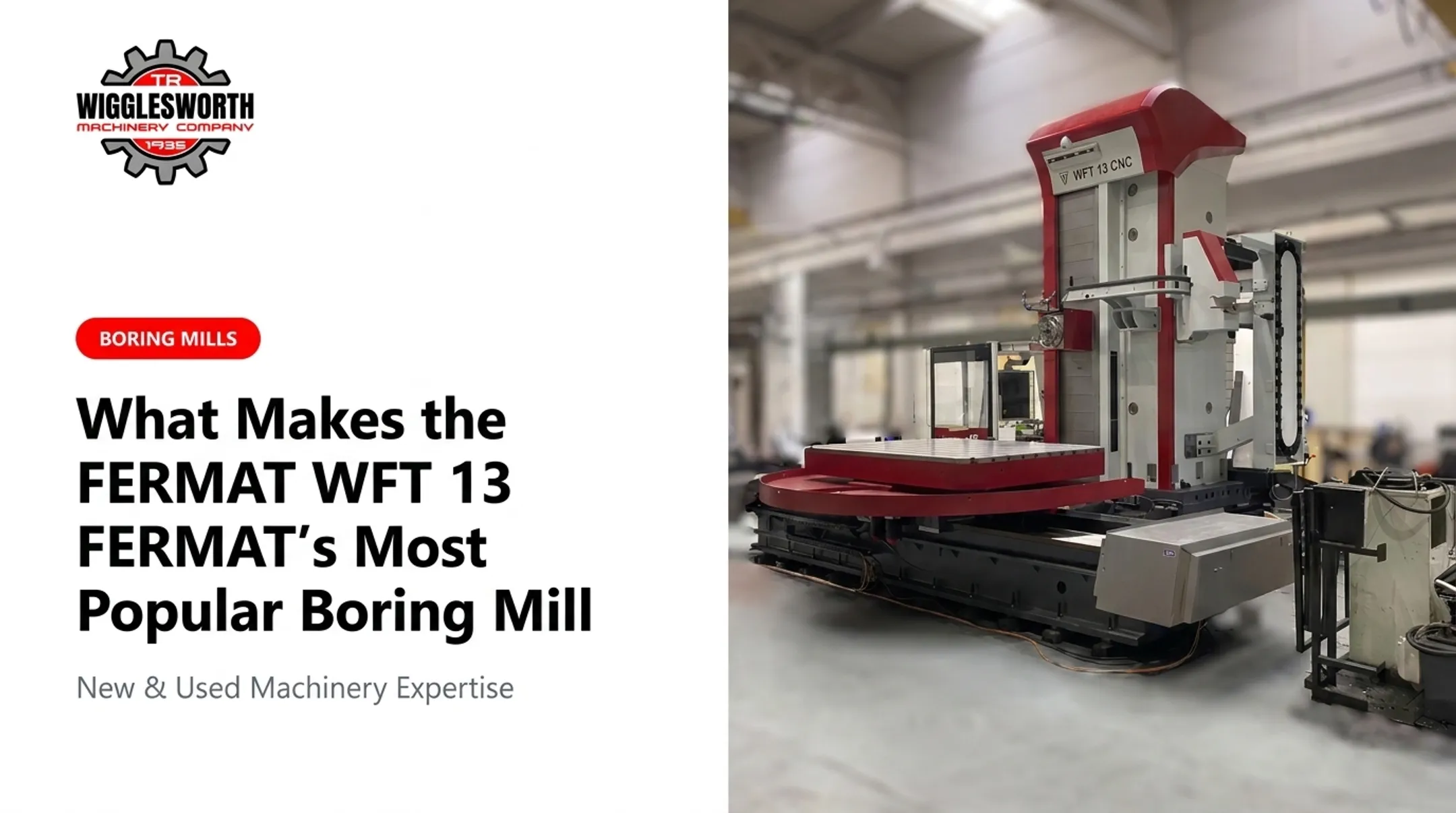
FANUC controls show up across a wide range of industrial equipment. According to FANUC America's product lineup, current control series serve lathes, machining centers, five-axis machining centers, and grinders. FERMAT's own product documentation lists a FANUC CNC variant on machines like the WFT 13/15 boring mill line.

A few FERMAT examples from current specifications:
- WHN13P — FANUC FS 0i-MF Plus CNC control
- WFT15R — FANUC 31iB (alongside Siemens Sinumerik and Heidenhain options)
- FFM 140 — customer-selected FANUC 31i B, Heidenhain iTNC 640, or Siemens 840D SL
The control doesn't fix bad fixturing, dull tooling, sloppy programming, or skipped inspection steps. It's a coordination layer, not a substitute for sound shop practice.
Key Advantages of FANUC Controls on FERMAT Machines
These advantages matter because they affect setup time, consistency, troubleshooting speed, and machine availability, not just what's printed on a spec sheet.
Familiar Operator Workflows and Transferable Skills
Operators who've run FANUC-equipped machines before often recognize the general layout: program screens, offset entry fields, alarm displays, and manual data input functions follow patterns they've seen elsewhere. That familiarity can shorten the "where is everything" phase of onboarding.
It doesn't eliminate FERMAT-specific training, though. Axis configurations, probing routines, safety interlocks, and start-up sequences differ by model. A machinist who's fast on offsets from a previous job still needs to learn how this FERMAT machine handles reference return and shutdown.
Consistent Control Over Motion and Machining Processes
The control synchronizes axis movement, spindle behavior, feeds, and tool changes so the machine executes the same programmed sequence the same way, run after run. That consistency is what lets one shift hand off to the next without re-explaining the job.
In a FANUC-published case study, machine shop Roland Erdrich GmbH describes exchanging measured data with its FANUC-controlled machine tools so proposed corrections can be sent directly to the control rather than typed in manually. Treat it as a workflow example, not a universal accuracy claim. It still shows how the control can fit into a broader production process.
Diagnostics and Structured Troubleshooting
Alarm messages and diagnostic screens help operators tell the difference between a programming error, a setup issue, a tooling problem, and a genuine machine fault. That distinction saves time and prevents someone from chasing the wrong fix.
A practical alarm-response sequence:
- Stop safely. Don't push through an alarm to "see what happens."
- Record the alarm code and operating state before clearing anything.
- Check the relevant manual or an approved troubleshooting procedure.
- Avoid changing parameters without documented authorization.
- Escalate to maintenance or engineering when the cause is outside operator scope.

Support for Long-Term Maintenance and Machine Ownership
FANUC's wide installed base makes maintenance planning easier. Access to FANUC-familiar technicians, documented parameter settings, and identifiable spare parts reduces guesswork when something needs service years down the road.
That said, parts availability, software compatibility, and upgrade paths still need to be confirmed for your specific FANUC series and FERMAT model. Don't assume universal interchangeability across control generations.
What Happens When the Control Is Misunderstood or Poorly Supported
Avoidable downtime often starts when operators treat a familiar-looking screen as self-explanatory.
Common failure points include:
- Incorrect work or tool offsets entered without verification
- Alarms cleared without understanding the root cause
- Unsafe program restarts after an interruption
- Parameters overwritten without documentation
- Setup practices that vary depending on who's running the job
Weak documentation compounds these issues. When only one or two experienced operators really understand a machine's quirks, you can't delegate work confidently across shifts, and troubleshooting takes longer every single time.
Reality check: FANUC familiarity doesn't replace shop-floor discipline. Risk assessment, guarding awareness, lockout/tagout, workholding checks, tool verification, dry runs, and your FERMAT machine's operating instructions still apply.
A control panel someone recognizes is not the same as a control panel someone has been trained on.
To measure whether the control is actually delivering value, track internal indicators over time:
- Setup time per job change
- Frequency of repeat alarms
- First-off inspection pass rates
- Unplanned downtime hours
- New-operator training time
- Maintenance response time
If these numbers aren't improving, the problem is usually the process around the control.
How to Get the Most Value from the FANUC Control
The control delivers its full value when the machine, its software options, operator procedures, training, and service process function as one connected system, not five separate afterthoughts.

Build a Machine-Specific Operator Standard
Write a concise procedure covering:
- Power-up and reference return
- Workholding verification
- Tool and work-offset checks
- Program selection and verification
- Single-block or dry-run checks before full-speed operation
- First-piece approval
- Normal shutdown
- What to do when something goes wrong
Note which functions are standard versus optional on your specific FERMAT machine — probing, conversational cycles, tool monitoring, and remote data transfer aren't universal across the lineup.
Train for Decisions, Not Just Button Locations
Teach operators why they take each step, not just where the buttons are. That means explaining how to verify an offset actually matches the fixture, how to interpret an alarm before clearing it, and when a fault is above their pay grade to fix alone.
Supervised practice parts, documented sign-off for critical tasks, and simulator time where available all reinforce this. Confirm any FANUC training resource is actually current and appropriate before pointing operators to it.
Protect Data and Review Performance
Back up programs, parameters, offsets, and ladder-related data on a regular schedule, following approved FERMAT and FANUC procedures. Keep storage controlled and track versions so you know which backup is current.
Review recurring alarms periodically instead of just clearing them and moving on. Patterns often point to training gaps, tooling wear, or a maintenance issue that's about to become a bigger one.
Use Qualified Support During Selection, Installation, and Onboarding
Before you buy, confirm the exact FERMAT model, FANUC series, axis count, software options, and electrical requirements — plus what training and documentation come with the deal.
T.R. Wigglesworth Machinery Company, an authorized FERMAT dealer serving the machine tool industry since 1935, provides delivery, installation, and training support for equipment like the WFT-13 boring mill, which ships with setup and operator training included. That support matters most in the first weeks after a new machine hits your floor, when procedures are still being written and operators are still learning the specific layout.
Conclusion
FERMAT's use of FANUC controls matters because it shapes daily operator work: how setup happens, how consistently programs run, and how fast a problem gets diagnosed instead of guessing.
The control alone isn't the whole answer. Sustained value still depends on:
- Machine-specific training
- Documented procedures and reliable backups
- A clear path to escalate issues beyond the operator
Before you choose on controller familiarity alone, weigh the full package:
- Machine capabilities and software options
- Training included at install
- Who supports the machine after it hits the floor
Frequently Asked Questions
What is FANUC in a CNC machine?
FANUC is the control platform that reads the machining program and coordinates axis motion, spindle functions, tooling, and machine input/output signals. Exact features depend on the specific machine builder and model.
What CNC machines use FANUC control?
FANUC controls appear across machining centers, lathes, grinders, and boring machines, among other applications. FERMAT's specific configurations should always be confirmed against current machine documentation rather than assumed.
Does Tesla use FANUC robots?
FANUC industrial robots and FANUC CNC controls are separate product lines. Reports of FANUC robots in automotive plants do not indicate which CNC control is on a machine tool, and they say nothing about FERMAT configurations.
Is FANUC Japanese or American?
FANUC Corporation was established in Japan in 1972 and remains headquartered there. FANUC America, based in Rochester Hills, Michigan, is its subsidiary handling sales, service, and support across the Americas.