
Maybe you're taking on larger fabrications, tighter tolerances, or higher volumes than the machine was ever spec'd for. Compensating for that gap — with extra setups, manual workarounds, or outsourced operations — quietly drains margin. Lead times stretch. Rework climbs. Jobs you'd normally quote confidently start looking risky.
This article walks through five signs your boring mill has been outgrown, how to separate a genuine capacity problem from a maintenance or programming issue, and what information to gather before you commit capital to a new or used machine.
Key Takeaways
- Capacity, accuracy, or control limits can mean you've outgrown a boring mill, regardless of its age.
- Downtime, quality drift, and repeated rework are business signals—track them, don't just react to them.
- Rule out tooling, fixturing, and alignment issues before blaming the machine.
- Match any replacement to future part sizes, tolerances, and production mix, not just current jobs.
Why Timing Matters for Replacing a Boring Mill
Replacing a boring mill isn't just a machine decision. It's a scheduling decision. Get the timing wrong, and you're pulling a critical asset offline during your busiest quarter, or installing a new machine right when a major order is due.
That risk rises when the mill is already at its limits. Capability comes down to a few factors that either match your jobs or don't:
- Rigidity and spindle reach — can the structure and spindle hold tolerance under load without deflecting?
- Axis travel and table/floor capacity — does the machine physically fit the parts you're bidding on?
- Bore depth and surface finish — can it hit the finish spec without secondary operations?
- Repeatable positioning — does it hold that accuracy job after job, not just on a good day?
Unplanned downtime is expensive at any scale. Siemens' 2024 downtime study found that unplanned downtime costs the world's 500 largest companies nearly $1.4 trillion annually, roughly 11% of their revenue, with one large automotive plant reporting losses of $2.3 million per hour.

Those are enterprise-scale numbers, not a per-hour rate for a single boring mill. Still, downtime compounds fast. Measure the real cost against your own lost production, expediting fees, and outsourcing invoices, not an industry average.
"Outgrown" doesn't mean the machine stopped working. It means the machine no longer supports your current or planned work efficiently, even if it can still knock out the simple jobs.
Five Signs Your Shop Has Outgrown Its Current Boring Mill
One symptom on this list might just mean you need a service call. Several symptoms showing up together (across capacity, quality, scheduling, and maintenance) is a much stronger signal that the machine itself has become the constraint.
Sign 1: Your Current Machine Cannot Handle the Parts You Want to Win
This is the clearest sign, and usually the easiest to prove. Look at the jobs you've turned down or subcontracted out in the last year.
Common red flags include:
- Insufficient table or floor capacity for the part footprint
- A work envelope too small to reach multiple faces without re-fixturing
- Spindle diameter or travel that falls short of bore depth requirements
- Load ratings that can't support heavier weldments or castings
Aerospace, defense, energy, and heavy-equipment shops feel this acutely, because those parts trend larger and heavier every year.
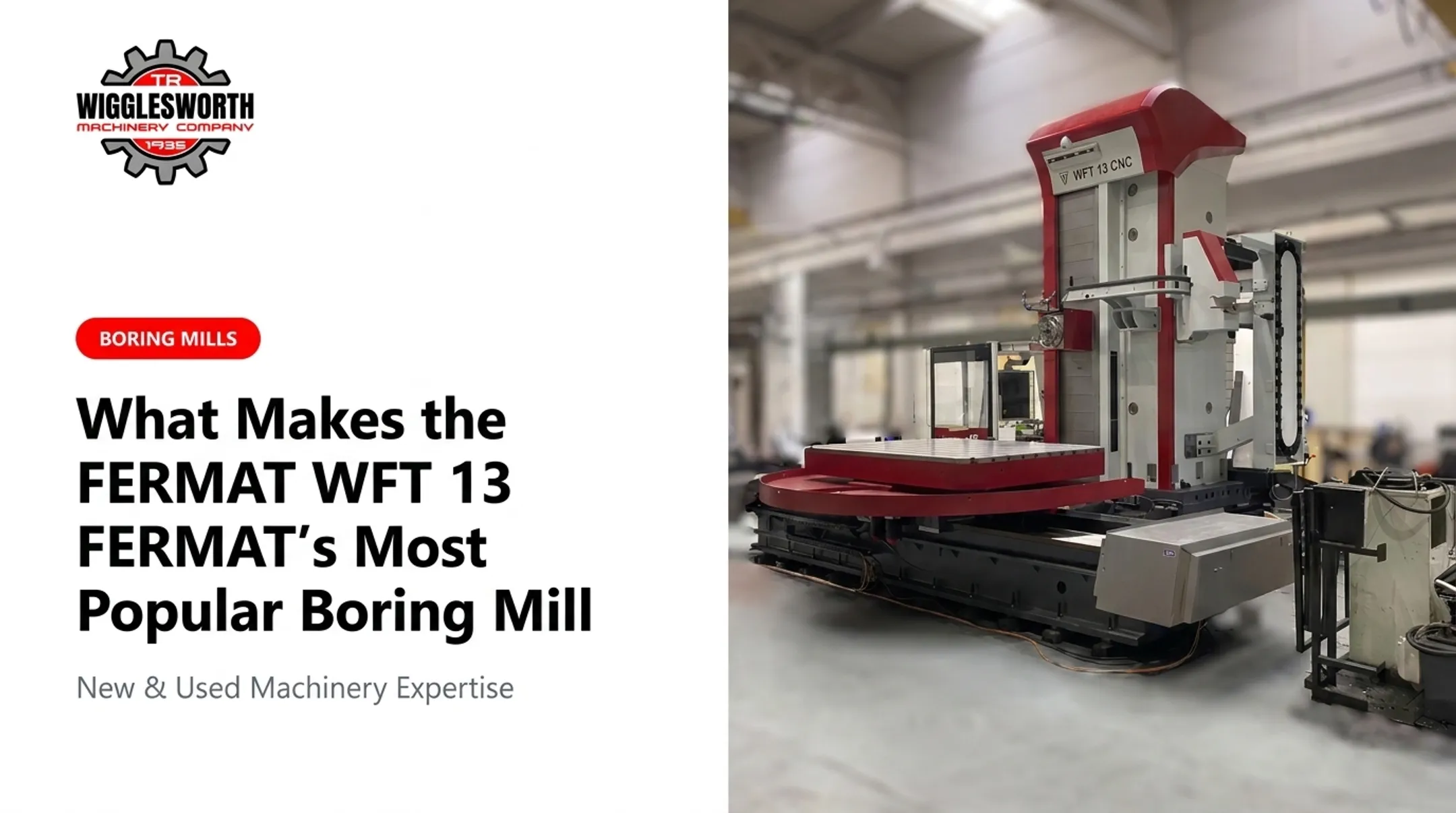
A shop running an older 36-inch or 48-inch Webster & Bennett vertical boring mill, for instance, may find its 24-inch bore depth or 3.75-inch spindle bore simply won't reach what a newer job requires. A horizontal boring mill like the FERMAT WFT 11, rated for parts up to 10 tons standard (and up to 20 tons with the extended X-axis option), opens up an entirely different tier of work.
Action step: Pull your last 12 months of quotes, won and lost, and compare part dimensions, weight, bore depth, fixture needs, and required axis travel against your machine's actual rated specifications. Patterns show up fast.
Sign 2: Production Schedules Are Controlled by the Boring Mill
When every job seems to funnel through one machine, and that machine has a queue, your boring mill is dictating the schedule instead of supporting it.
Watch for:
- Recurring backlogs at the boring mill station specifically
- Long cycle times that force overtime or weekend runs
- Jobs needing multiple setups or a second machine to finish what one pass should handle
- Manual repositioning eating into productive hours
Slow control response, underpowered spindles, and outdated workholding all contribute to this bottleneck.
A 2007 Modern Machine Shop case study on an aerospace fabricator shows the upside. After replacing an undersized setup with a properly sized horizontal boring mill, the shop reported roughly 50% shorter cycle times and 75% less setup time on the parts in question, and eliminated machining it had previously outsourced.

Action step: Track machine utilization, setup time, cycle time, and overdue jobs over a representative month using your own shop records. Don't estimate. Pull the actual numbers from your job tracking system.
Sign 3: Accuracy and Surface Finish Are Becoming Difficult to Maintain
Dimensional drift, bore taper, poor concentricity, and inconsistent finish are the signals that get flagged during final inspection, often too late to fix cheaply.
Before blaming the machine, separate the possible causes:
| Likely machine-related causes | Likely non-machine causes |
|---|---|
| Spindle wear or bearing wear | Boring bar overhang or tool deflection |
| Guideway wear, backlash | Inadequate workpiece clamping |
| Thermal growth of the structure | Programming or feed/speed errors |
| Loss of geometric accuracy | Worn or incorrect inserts |
Boring operations are especially prone to chatter and vibration. Cutting Tool Engineering notes that vibration and tool deflection during boring can ruin surface finish, accelerate tool wear, and cause dimensional inaccuracy, and that re-cutting bores to hit tolerance eats into production time you never planned for.
Action step: Before concluding the machine needs replacing, get a documented inspection covering spindle runout, backlash, geometric alignment, and thermal behavior from a qualified service technician. If the mechanical structure and spindle are sound, the fix might be tooling or programming, not a new machine.
Sign 4: Maintenance and Replacement Parts Are Taking More Time and Money
Every repair on an aging machine gets a little less predictable. Alignment work that used to take an afternoon starts taking a week. Electronics that used to be swapped in an hour now require a specialist because the control is no longer supported.
Signs this has become a real problem:
- Breakdowns recurring on the same subsystem within months
- Recurring alignment or leveling work after supposedly "fixed" repairs
- Obsolete controls with no manufacturer support
- Long wait times sourcing OEM components
This risk multiplies when one aging machine supports a critical process with no backup. Before writing off a machine entirely, check whether a supported repair or modernization path exists.
T.R. Wigglesworth Machinery Company, for example, carries OEM parts specifically for Webster & Bennett machines, including boring-bar locking screws and locking pads. The company also offers control-panel facelift packages that can extend a mechanically sound machine's useful life without a full replacement.
Action step: Compare your last two years of maintenance spend against the machine's replacement cost, and separately check whether replacement parts and control support still exist for your specific model.
Sign 5: The Machine Cannot Support the Shop's Next Stage of Growth
This sign is less about breakdowns and more about ceiling. A machine can run fine and still hold your shop back if it lacks CNC integration, probing, tool management, or the automation your customers now expect.
Outdated controls limit more than just programming speed. They restrict repeatability, slow down operator onboarding, and make quoting complex, multi-face work riskier than it needs to be.
Growth-readiness checklist: compare your current machine against:
- Machine type: horizontal versus vertical, matched to your dominant part geometry
- Axis travel and spindle specs: enough headroom for parts you expect to win, not just parts you run today
- Rigidity and workholding: sufficient for heavier or longer parts
- Controls and automation readiness: CNC integration, probing, data collection
- Service support: parts availability and technician access for the long haul
- Floor-space requirements: does the shop have room for the machine you actually need?
Action step: Score your current machine against each checklist item, then flag any gap that would block work you plan to quote in the next 12–24 months.
How to Decide Whether It Is Time to Upgrade
Replacement is one option among several. Repair, controls modernization, component replacement, retrofit, or a second machine can all solve the same problem, sometimes for a fraction of the cost.
Based on Current Usage and Workload
Compare your actual job requirements (part size, weight, bore depth, cycle time, utilization) against the machine's rated envelope, spindle reach, and table capacity. A machine that handles today's work but leaves zero headroom for larger or more precise jobs is already limiting what you can quote next quarter.
Based on Condition and Performance Indicators
Before any capital decision, review:
- Downtime logs and maintenance spending trends
- Scrap, rework, and part-quality records
- Control alarms and error frequency
- Replacement-part availability and lead times
A qualified service assessment should test alignment, spindle condition, backlash, geometric accuracy, and vibration under real cutting conditions, not just a powered-on demonstration.
Based on Workflow and Future Requirements
Excessive setups, manual repositioning, and disconnected tooling or workholding all point to a workflow problem, not just a machine problem. Build a simple decision framework comparing repair or modernization against replacement:
| Factor | Repair/Modernize | Replace |
|---|---|---|
| Upfront cost | Lower | Higher |
| Remaining useful life added | Moderate | Long-term |
| Downtime during work | Shorter | Longer (installation) |
| Addresses capacity gaps | No | Yes |
| Training required | Minimal | Moderate |
A full-service supplier can help you weigh those options. T.R. Wigglesworth Machinery Company offers new and used machine tools, including FERMAT and FEMCO boring mills from 5-ton compact models up to 40-ton heavy-capacity configurations.
Delivery, installation, and operator training are available too, so you can compare a used machine, a new build, or a retrofit of what you already own with one partner.
When Waiting Becomes the More Expensive Choice
Every warning sign you ignore compounds. Rework piles onto expediting fees. Missed quotes turn into missed relationships. Operators grow frustrated running a machine they don't trust.
Modern Machine Shop documented how Ace Clearwater Enterprises hit this limit. The aerospace fabricator's existing equipment couldn't machine large weldments (parts from 15,000 to over 44,000 pounds) without multiple fixtures or outsourcing part of the work.
After installing a horizontal boring mill sized to the job, the shop brought that outsourced work in-house and cut a cited part's processing time from roughly four hours to two or less.

Waiting gets especially expensive when you see:
- Recurring safety-related faults or alarms
- Uncontrolled dimensional drift that inspection can't catch consistently
- Unsupported controls with no path to parts or repair
- A failure risk that threatens a hard customer deadline
That said, age alone isn't a reason to replace a machine. If a documented repair, alignment correction, or parts plan restores the capability you need at acceptable risk, waiting can be the sound business call. The mistake is waiting without documentation: running on assumption instead of inspection data.
Conclusion
The strongest case for replacing a boring mill is a documented, sustained mismatch between what the machine can do and what your shop needs: capacity, quality, reliability, and room to grow.
Before committing capital, document the five signs against your own records, get a technical condition assessment, and weigh repair, modernization, used equipment, and new-machine options side by side.
If you're working through that comparison, T.R. Wigglesworth Machinery Company can help with machine tools, OEM parts, delivery, installation, training, or Webster & Bennett-specific support at any stage of the decision.
Frequently Asked Questions
How precise is horizontal milling?
Precision depends on rigidity, geometric accuracy, spindle and tooling condition, thermal stability, and workholding. Dedicated boring typically holds tighter repeatability than general horizontal milling.
What are the signs that a boring mill needs to be replaced?
Look for capacity limitations on part size or weight, recurring downtime, accuracy drift, rising repair costs, obsolete or unsupported controls, and an inability to handle your planned work mix efficiently.
Should I repair or replace an aging boring mill?
Compare repair cost against remaining useful life, parts availability, downtime risk, and whether the machine's capability still matches your future production needs. If capability is the limiting factor, repair won't solve it.
What is the difference between a horizontal and vertical boring mill?
Horizontal boring mills use a horizontal spindle and suit large, heavy, or irregularly shaped parts needing multi-face access. Vertical boring mills use a rotating table and vertical spindle, better suited to rotationally symmetric parts.
Can upgrading the controls extend the life of a boring mill?
A control retrofit can address obsolescence and improve usability on a mechanically sound machine. If the structure, spindle, or guideways are worn, however, new controls alone won't fix accuracy problems.
What should I check before buying a used boring mill?
Review machine history, alignment results, spindle condition, control age and support status, parts availability, work envelope, and load capacity. Confirm what installation and training support the seller provides.